Windsor 311 Mobile App
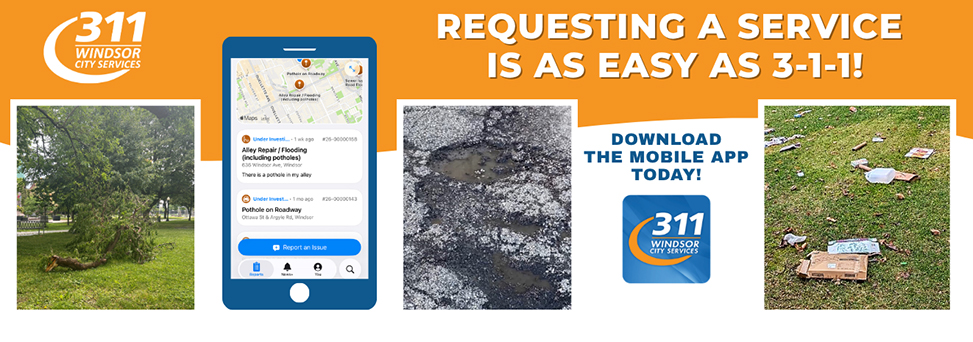
Report City issues Anytime, Anywhere
The Windsor 311 mobile app makes it quick and easy to report non-emergency issues to the City of Windsor from your smartphone or tablet.
Whether you're walking through your neighbourhood, visiting a park, or commuting to work, you can submit a service request as soon as you notice a problem.
What Can I Report?
Use the app to report a variety of municipal concerns, including but not limited to:
- Potholes
- Graffiti
- Property maintenance concerns
- Dirty or overgrown yards
- Road and sidewalk issues
- Streetlight problems
- Issues in municipal parks
- Other City service requests
How the App Works
Submitting a request takes just a few steps:
- Describe the issue:
Tell us what problem you are reporting. - Add a photo:
Use your device's camera to attach a photo and help staff understand the issue. - Choose a request type:
The app will suggest a type that best fits the description based on the info provided, or you can search through the list and find one that best matches your concern. - Enter the location:
Geolocate the issue or provide an address where the issue is occurring. - Answer a few questions:
Provide any additional information needed to process your request. - Submit your request:
Your information is sent directly to the appropriate department for review.
Why Use the Windsor 311 App?
Convenient
Report issues wherever you are, directly from your mobile device.
Faster and More Accurate Reporting
Photos and location information help City staff identify and investigate issues more efficiently.
Stay Informed
Track the status of your request and see when work has been completed.
Easy to Use
The app is designed to make reporting concerns simple and straightforward.
Available 24/7
Submit service requests whenever it's convenient for you, 24 hours a day, 7 days a week.
Download the App
The Windsor 311 mobile app is available for Apple and Android devices.


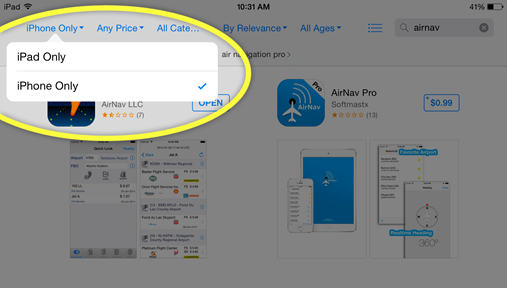
iPad Users: From the App Store, select "iPhone Only" to find the Windsor 311 app: